For investment firms, managing a sprawling portfolio across different investment types and platforms can introduce complexity and reporting risk. We’ve unified and improved our Investments Dashboard experience for private equity (PE) and venture capital (VC) investors, providing you with consistent firm-level visibility for your entire portfolio.
Centralized visibility to manage your entire portfolio
Investment firms can now accept interests issued from companies using the Carta LLC equity management product into their shared investment firm portfolio. When issued interests, users are provided with options to accept into an existing fund/portfolio in their Carta account, or create a new fund or firm representation in Carta to associate the interests.
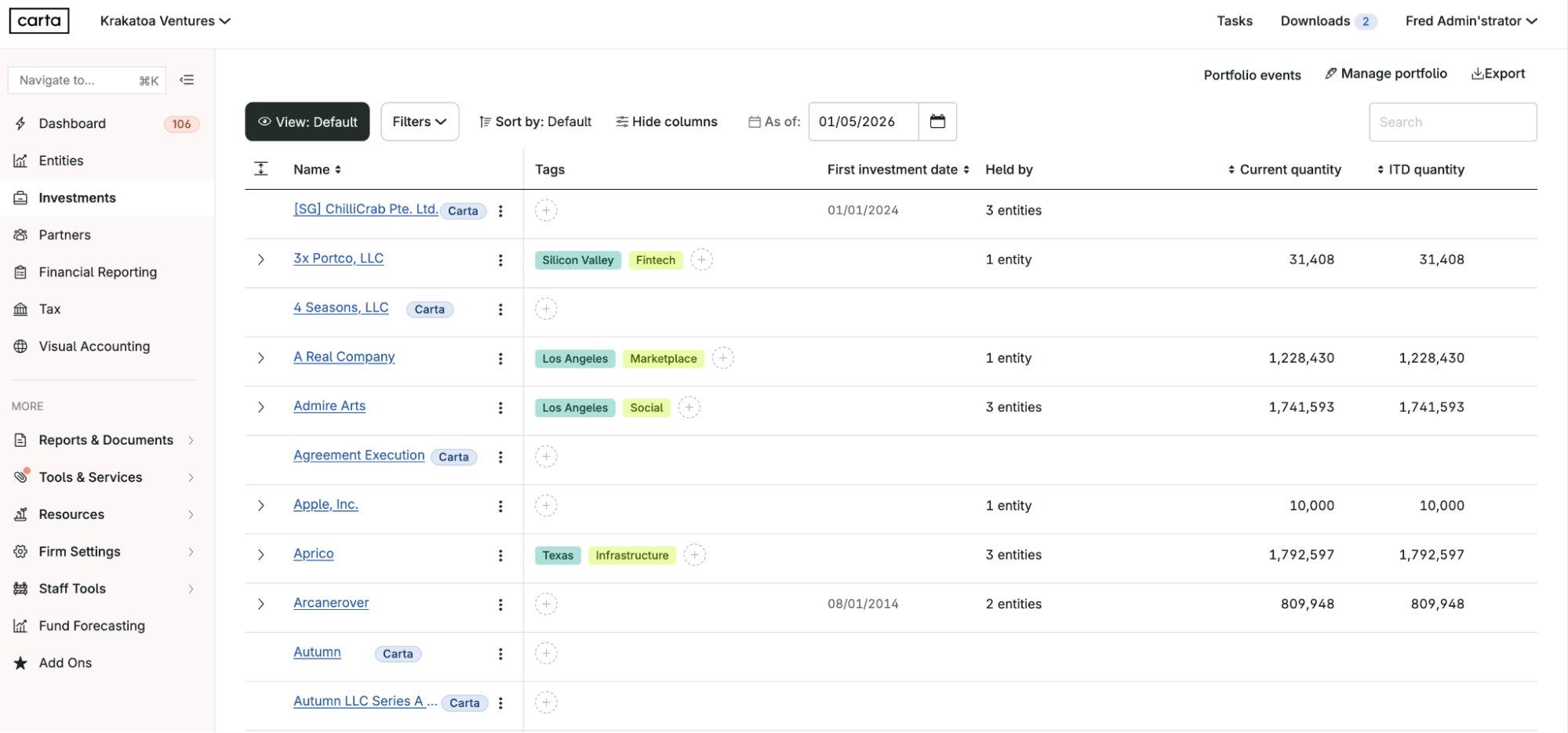
Accepting interests and securities unlocks the Investments Dashboard that includes holdings, cap table, documents, and distributions details. Depending on your permissions to the underlying company cap table, you will either see the full cap table, or only directly held interests.
Direct access to investment details
For Carta Fund Admin customers, investment details for portfolio companies that don’t use Carta cap table products but exist on your Schedule of Investments (SOI) are now clickable directly from the Investments Dashboard.
Cap table creation is also easier and faster. You can add a missing capitalization table for a portfolio company with a guided Cap Table Builder that uses machine learning (ML) extraction. This builder is automatically populated with information from documents previously entered, simplifying the creation experience.
Consistent and intuitive experience across multiple investment types
Every investment now has a similar view on the Holdings tab with columns that adapt based on the investment source and type. This means you’ll always see the most relevant fields with the same table structure, filter, and export options, as well as the same clickable entry points, making navigation between investments more intuitive.
Investment holding views can now be grouped by fund. This not only helps you visually organize a large portfolio, but also leverages existing permissions to control user access at the fund level. This allows you to better safeguard important information. A new command bar on the Holdings tab also lets you quickly switch between funds and investments without returning to the main list of Investments.



DISCLOSURE: This communication is on behalf of eShares, Inc. dba Carta, Inc. ("Carta"). This communication is for informational purposes only, and contains general information only. Carta is not, by means of this communication, rendering accounting, business, financial, investment, legal, tax, or other professional advice or services. This publication is not a substitute for such professional advice or services nor should it be used as a basis for any decision or action that may affect your business or interests. Before making any decision or taking any action that may affect your business or interests, you should consult a qualified professional advisor. This communication is not intended as a recommendation, offer or solicitation for the purchase or sale of any security. Carta does not assume any liability for reliance on the information provided herein. © 2026 Carta. All rights reserved. Reproduction prohibited.